Data visualization builder
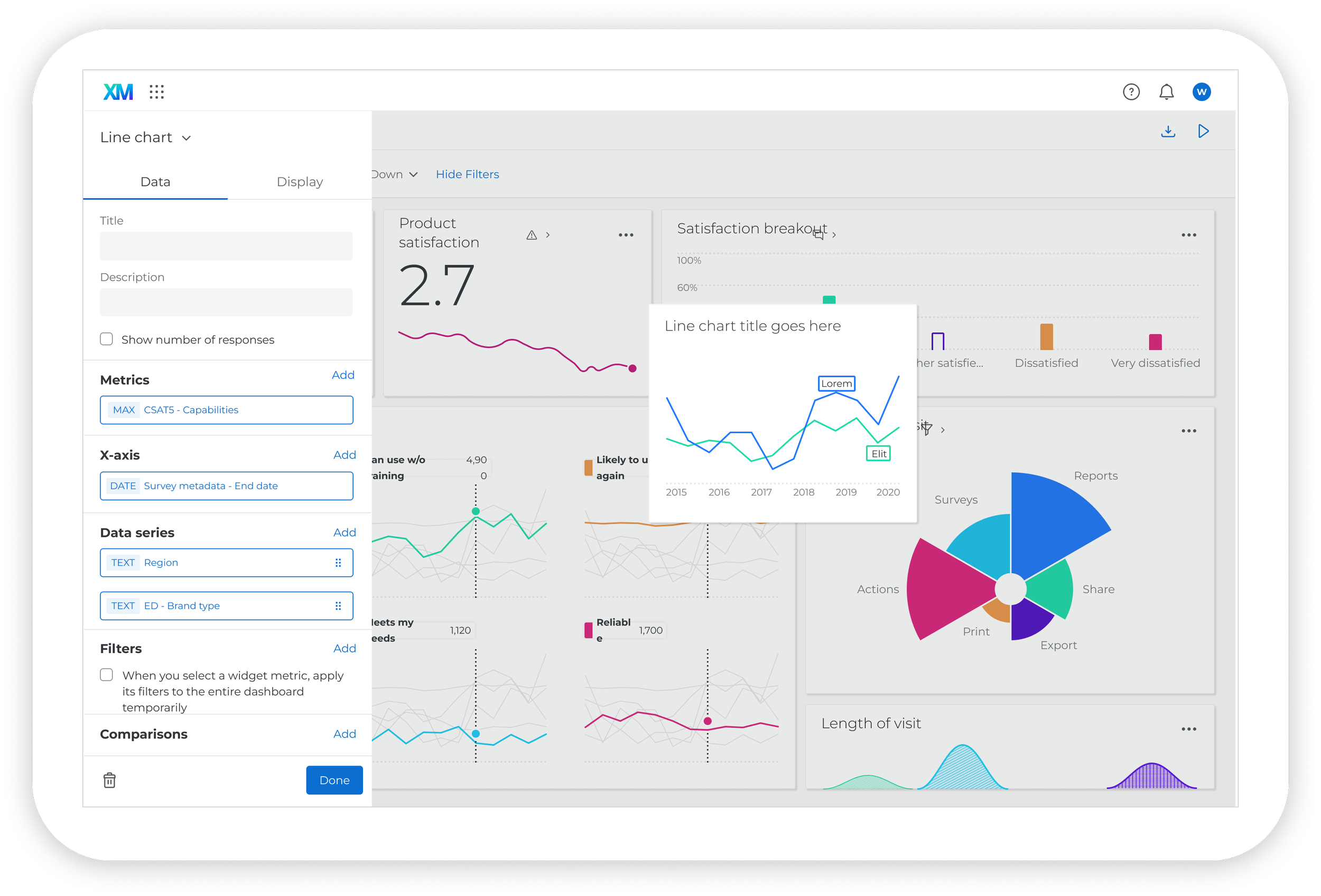
Qualtrics | Dashboard
PROJECT OVERVIEW
Data visualization builder
Configuring data visualizations should be straightforward. Instead, Qualtrics dashboard editors faced inconsistent settings, hidden functionality, and different interaction patterns depending on the widget they were using.
I helped rethink the configuration experience across 18 panels, representing approximately 97% of dashboard widgets at the time. But the opportunity went beyond improving individual panels. We needed a consistent, reusable approach that could scale across the platform.
Role
Product designer
Focus areas
Interaction design, UX research, design systems
Project scope
End-to-end ownership, 18 redesigned visualizations
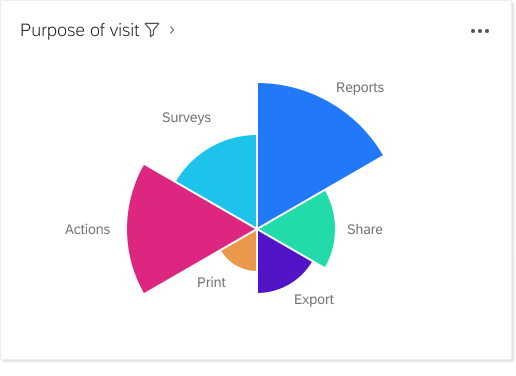
What is a data visualization?
Also referred to as a widget, a data visualization is the representation of data made up of common graphics such as charts, animations and plots. These visualizations are built and added to the dashboard by dashboard editors.
IDENTIFYING THE PROBLEM SPACE
Lack of consistency at the platform level and the experience product levels
Confusion of feature ownership among platform and experience team engineers
Legacy designs and flows not adhering to Qualtrics design system rules
Specialty visualizations have no foundation to build custom features off of
Development teams migrating from Angular to React hinders consistency
Disorganized or misplaced documentation explaining legacy design decisions
Reviewing the research results
Shortly before I joined the project, usability testing was conducted for different approaches of configuring data. One of my initial steps was to review the user testing procedure and results with the UX research team. Based on that meeting, I was able to identify a potential solution that tested well and begin working with the PM and engineering on feature priorities and outlining quarterly deliverables.
-
Which design performs best in a usability test, and which design do participants prefer?
-Baseline (the current widget configuration panel)
-Model 1 (multi-level design with “Metrics” and “Dimensions”)
-Model 2 (tabbed design)
-Model 3 (multi-level design with “Vertical axis” and “Horizontal axis”)
Which tasks do participants struggle with the most?
Is the terminology clear and intuitive?
How can we improve the widget configuration experience?
-
Model 2 (tabbed design) outperformed the other prototypes, and every participant who saw Model 2 preferred it over the baseline prototype.
Most terminology was straightforward and intuitive.
ON/OFF toggles are extremely user-friendly
-
Design config panel using Model 2 logic - separate data configuration from display configuration using tabbed approach
Use ON/OFF toggles for optional features
Pair axis dimensions and use parallel labeling
Include the chart description with the chart title
PRODUCT STRATEGY + INFLUENCE
Auditing the current experience
With the platform and experience product teams owning different widgets, it was important to communicate with all dashboard stakeholders to align on project goals and deliverables. I spent a lot of time in the product documenting inconsistent design and user flows. I also needed to understand where in the development process each team was. Our developers are moving from Angular to React and each team has their own timeline for accomplishing this. The new Qualtrics design system was built in React so teams still working in Angular don’t have access to new components or patterns.
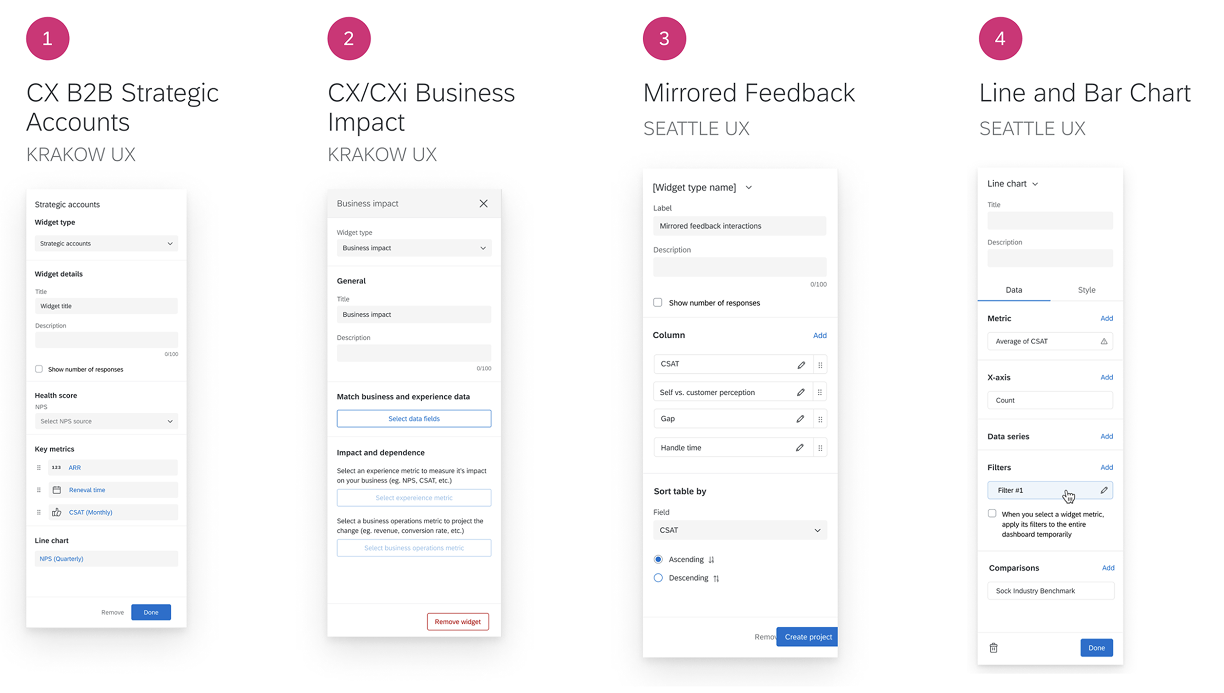
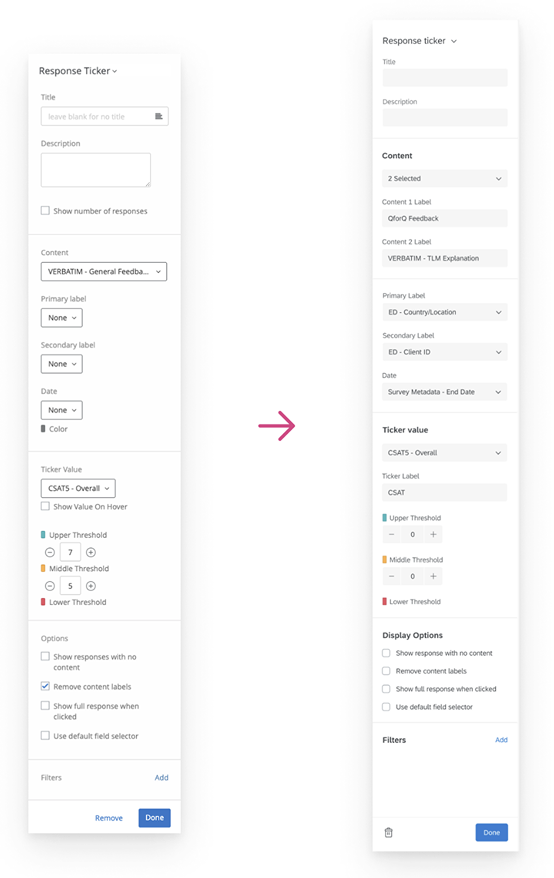
Migrating to the new design system
I started the redesign by updating platform owned widgets to be compliant with the Qualtrics Design System. There were no structural changes made at this time, but it created a universal starting point for all legacy widgets and new widgets in development.
THE REMODELDesigning for scalability and coherence
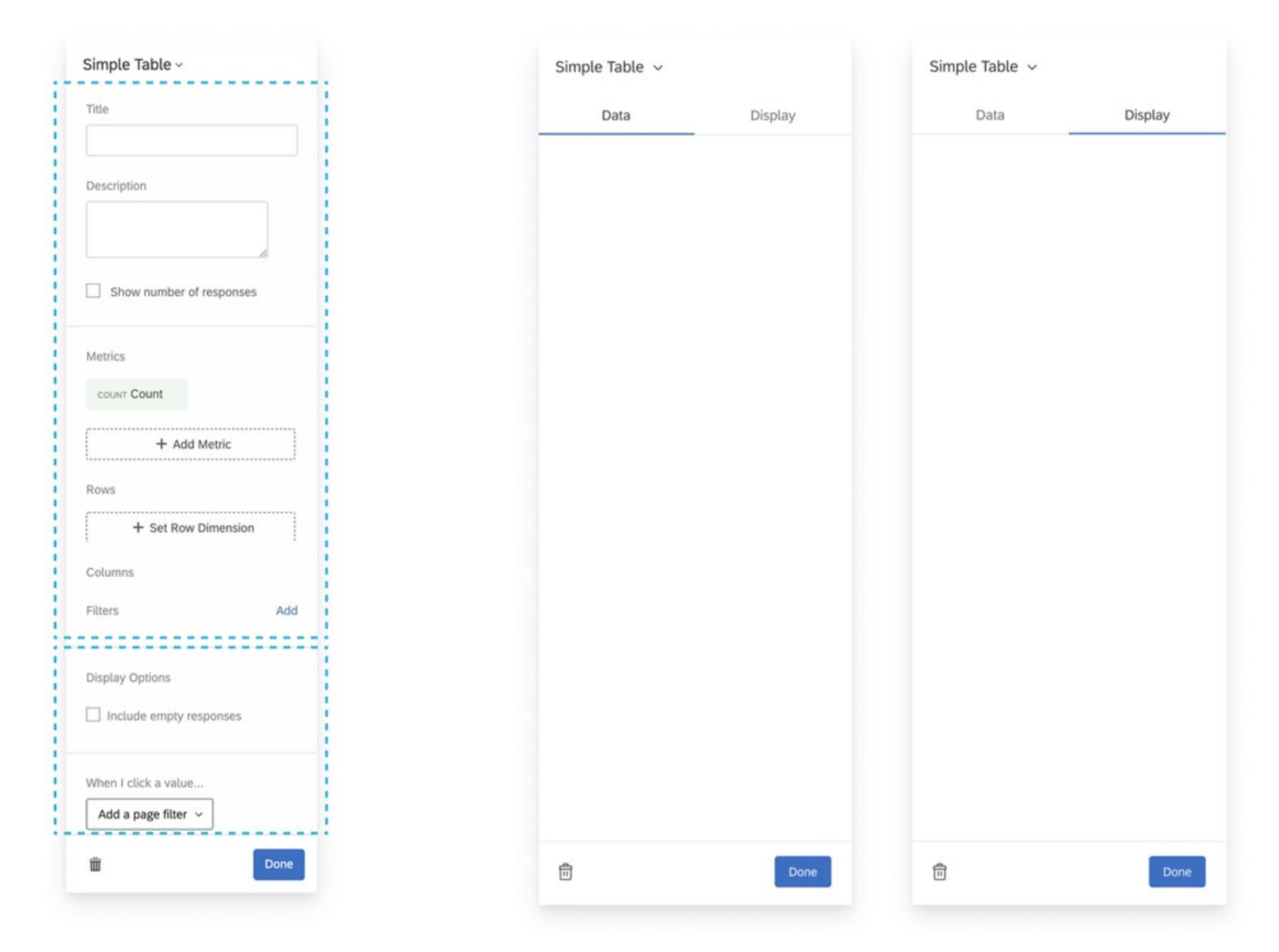
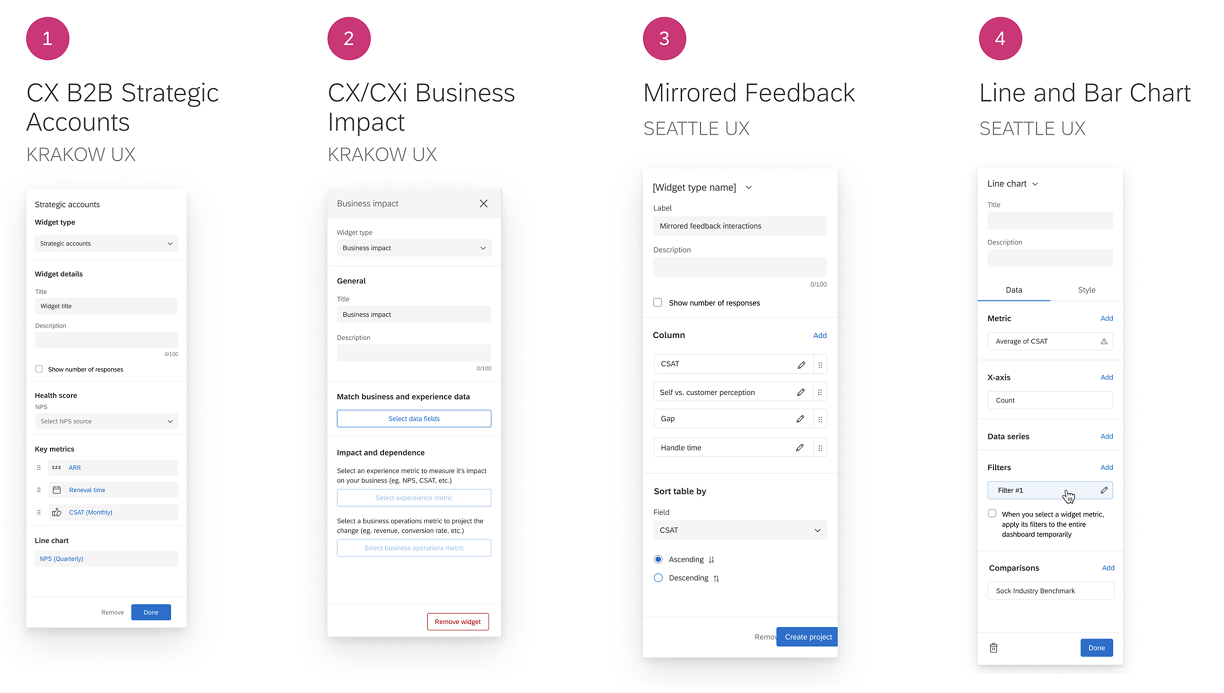
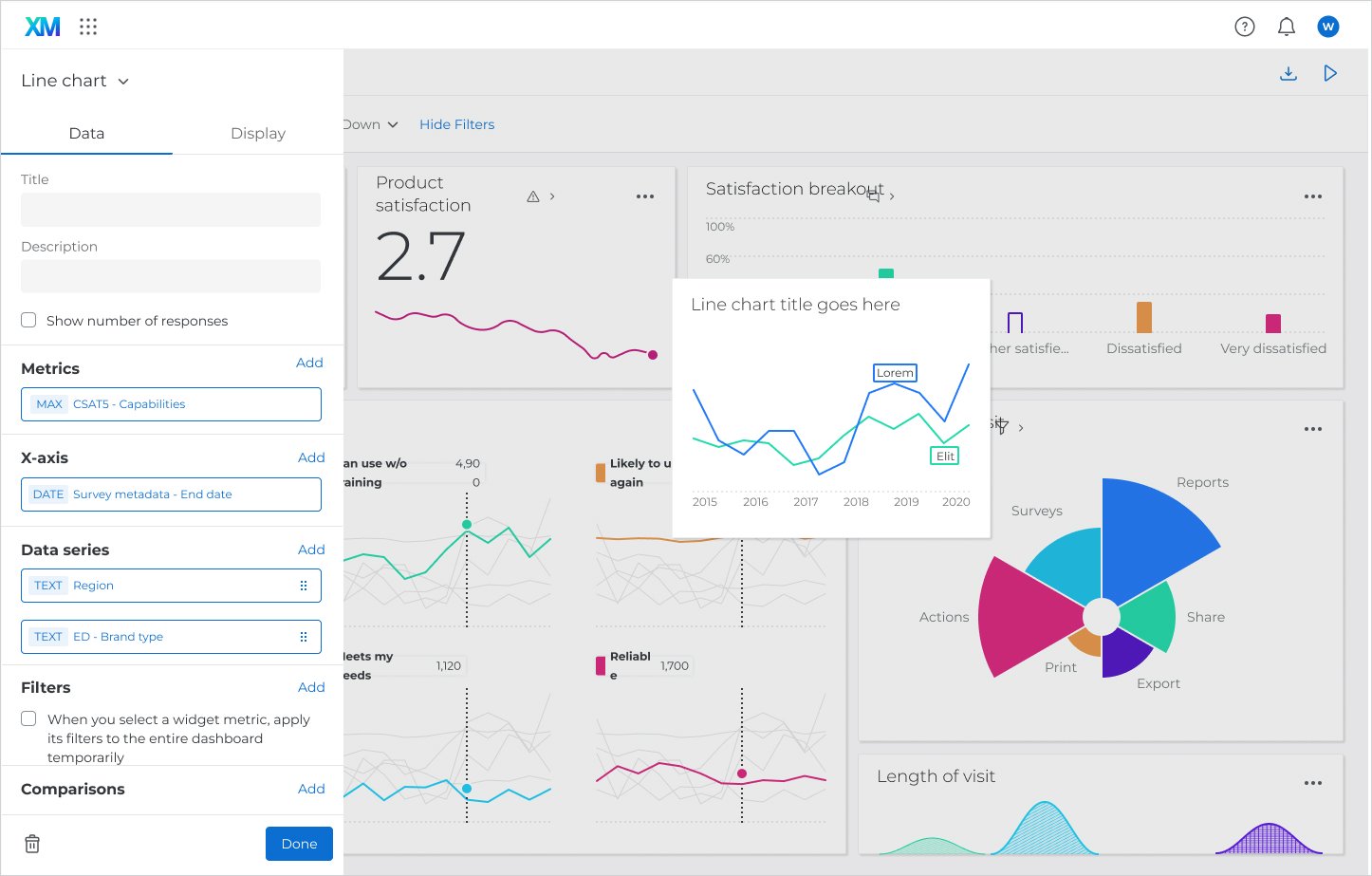
DATA AND DISPLAY TABS - I separated the data configuration from the display configuration using a design system tab menu. This tabbed pattern performed the best in usability study and is consistent with competitor products.
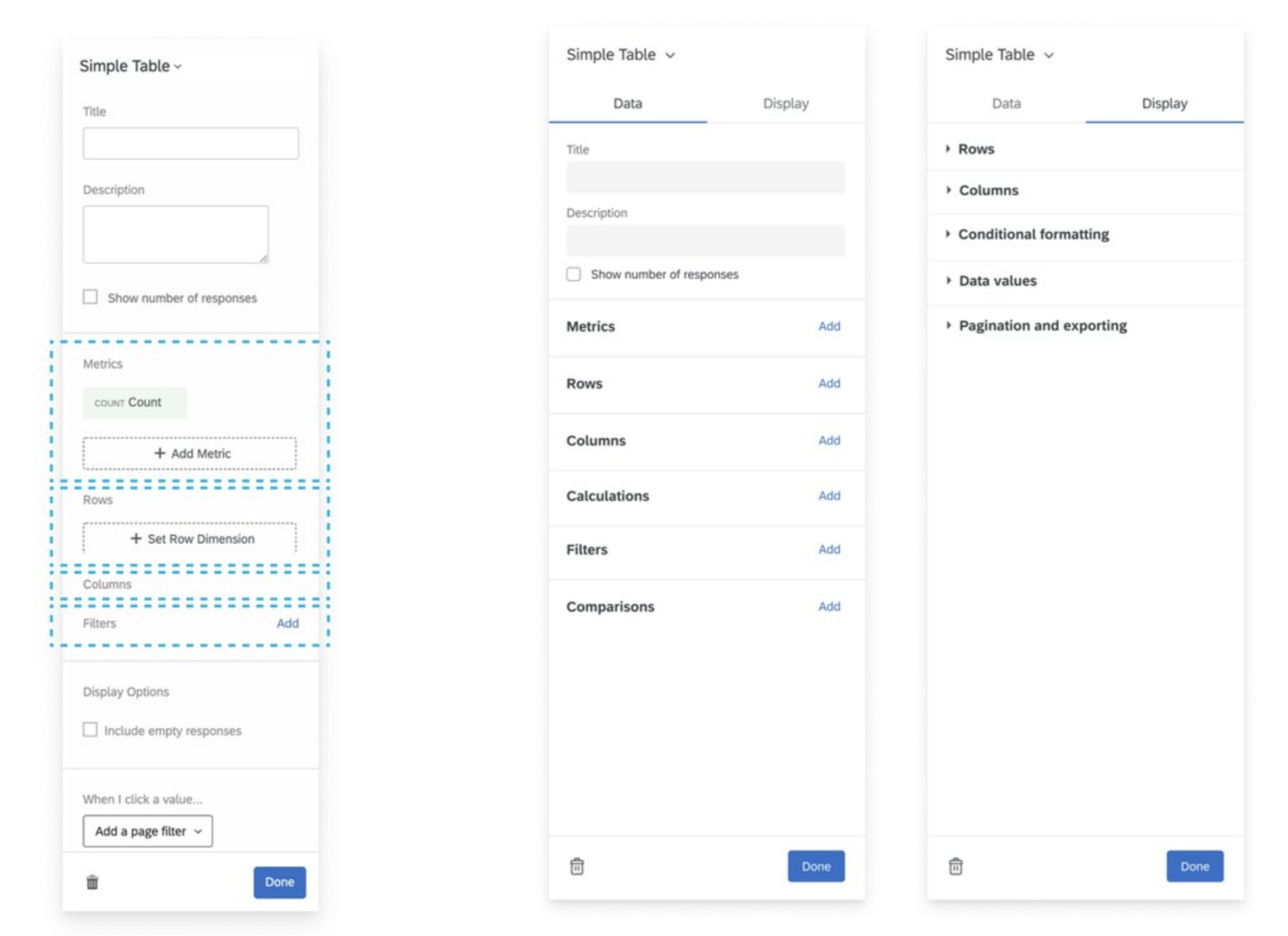
ORGANIZE CONTENT INTO SECTIONS - I organized the data and display content into sections for easy scanning and to maximize screen real estate. Each section includes a header that is followed by related config for easy scanning.
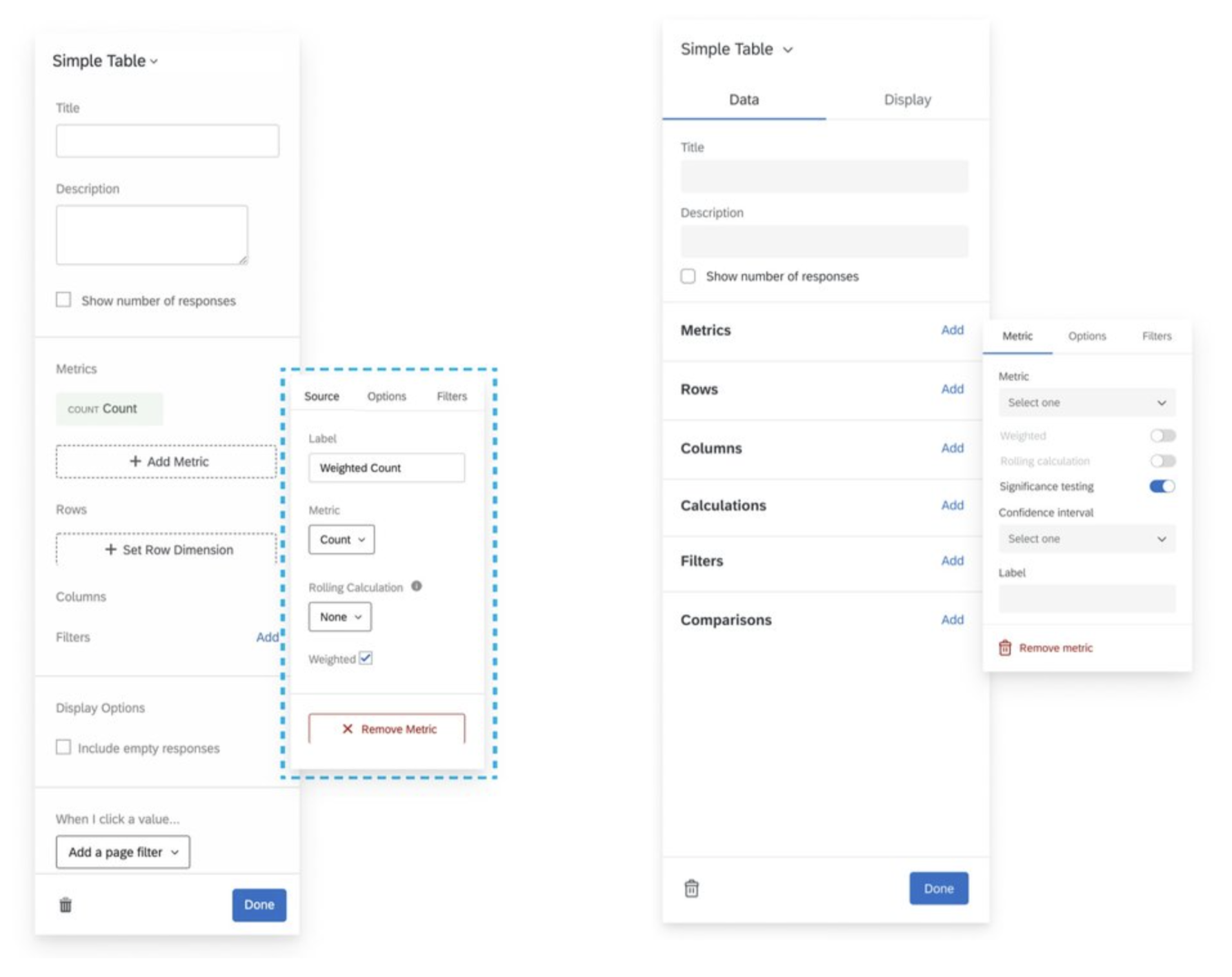
REVEAL HIDDEN FUNCTIONS - Hidden functionality that was buried in flyout menus behind specific configurations was brought to the surface so the user can be aware of the widget’s flexibility.
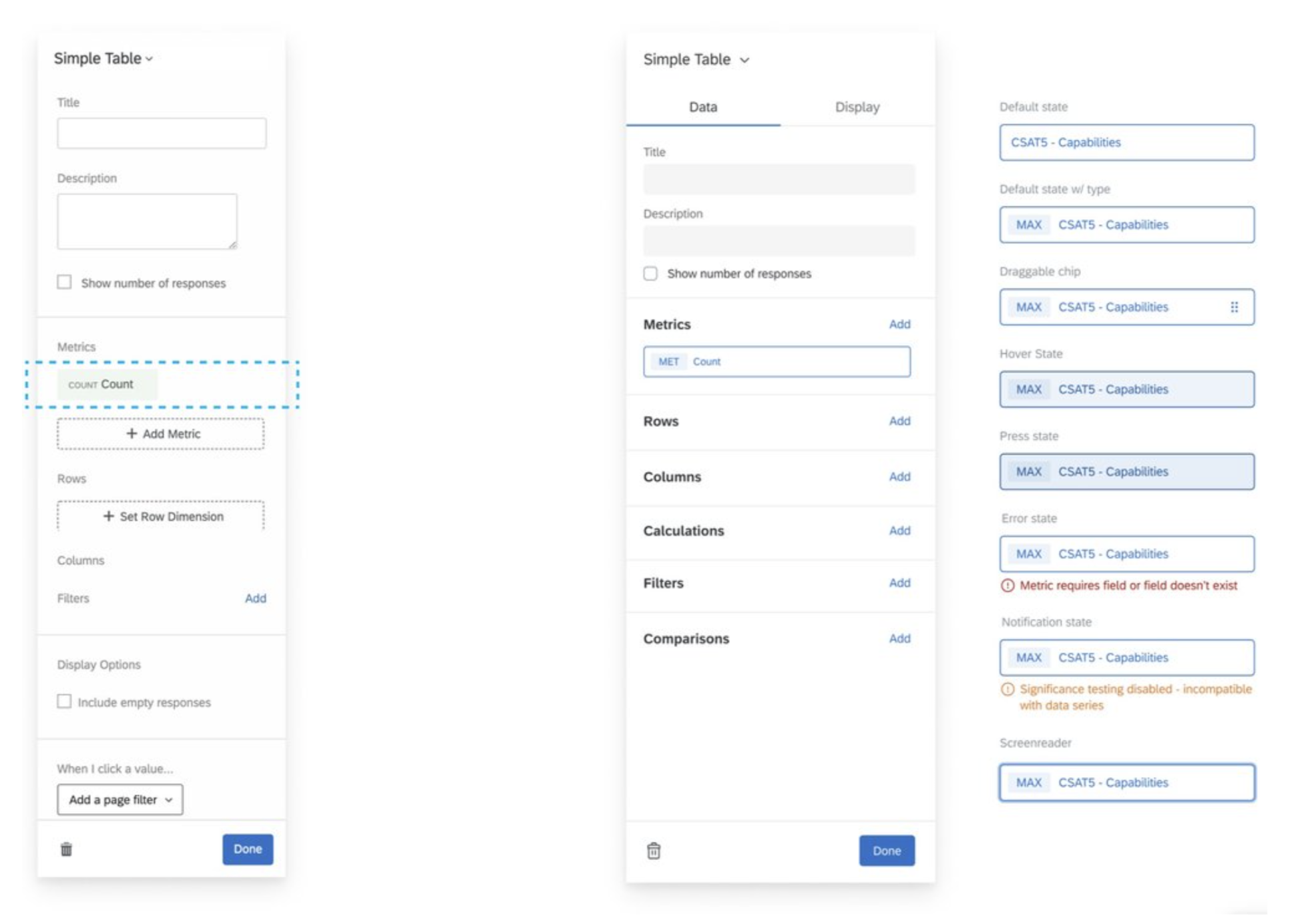
CUSTOM PANEL COMPONENTS - I worked with our design system team to create a component that acted as a button and a label for complex configurations. The chip, when clicked, opens addition configuration in a flyout menu.
The new unified experience
Documenting my designs into a reusable framework
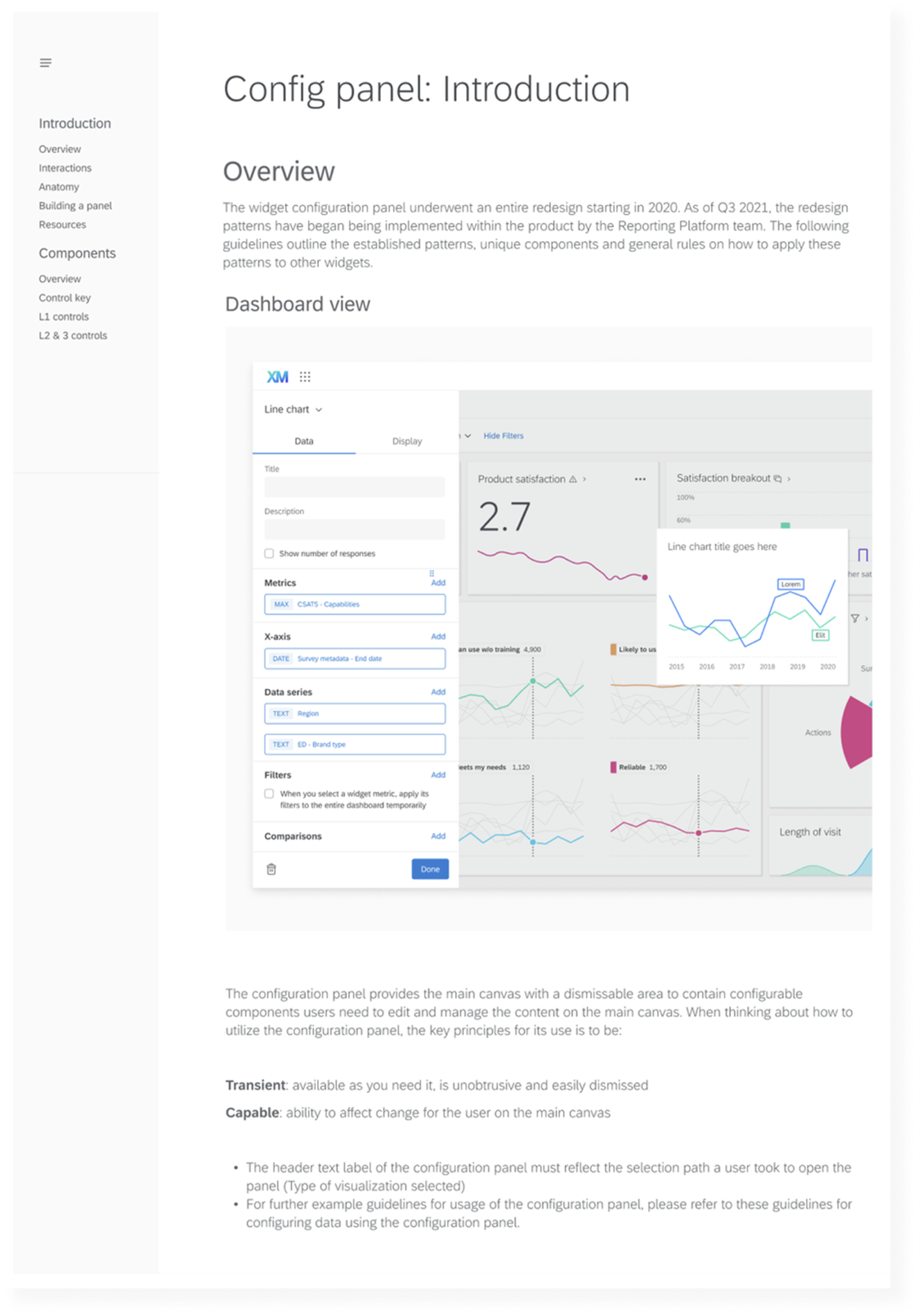
Working on a platform team, I recognized an opportunity to create consistency beyond my own designs. Without shared guidance, designers and engineers were repeatedly solving the same visualization configuration challenges from scratch.
I took the initiative to document recurring patterns, establish best practices, and define specifications for custom components. I consolidated these into a reusable Figma framework that provided a consistent foundation while allowing teams to build for their specific needs.
Today, this framework serves as a source of truth for design and engineering, streamlining communication, reducing ambiguity, and accelerating development.
To support adoption, I partnered with our visualization expert to establish weekly office hours where designers and engineers could review work, receive feedback, and ensure alignment with platform standards.
Key learnings
Communicate with other teams, designers, engineers, PMs, etc to establish overlaps in the user experience within different areas of the product. You can often leverage an existing user experience and possibly make it better and more inclusive.
LEVERAGE
Don’t be afraid to take charge of a project and maximize its reach. A seemingly small project that sits within a large ecosystem can influence other teams and future business goals.
ADVOCATE
Create a framework and document the rules and patterns that can be replicated for future related projects. This way, consistency is maintained across the product and the user experience is more intuitive and cohesive.
DOCUMENT